

You have created a new Report Layout that you want embedded within Business Central. Instead of uploading the layout file in each company as a Custom Layout, we now have the ability to “upload” the layout when publishing the app to a Business Central environment.
Report Extensions
When you create a Report Extension, you can add a rendering section, and then a new layout.

When your app is installed, your new layout will show up within the Layout Type (Excel, RDLC, Word, Custom or External) when using the “Report Layout Selection” page.

I would suggest to sticking to the Excel, RDLC, or Word Types. The Custom Type requires a property of MimeType. As of the time of this post, there is not any strong documentation on how to use this property.
If you have used the MimeType, I would love to hear your feedback!
Reports
If you create a new report, you also have the ability to create several different report layouts. You can attach them the same way through the rendering section. You are then able to set the Default Layout to be used by your report through the DefaultRenderingLayout property.
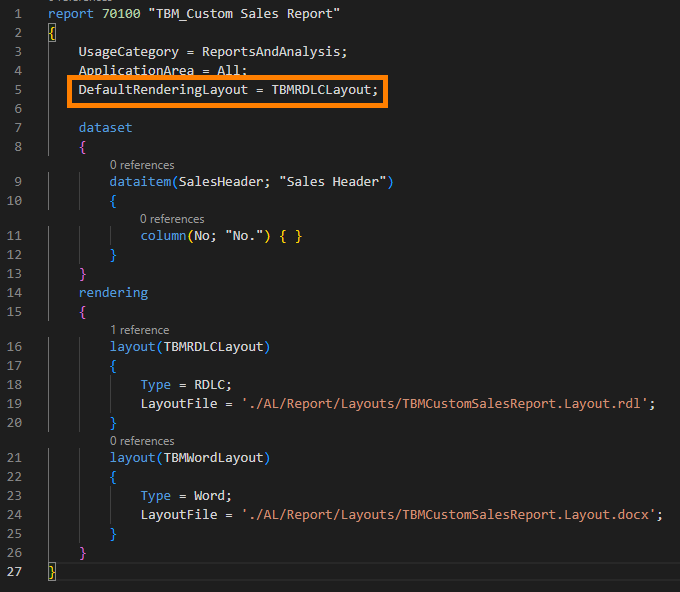
You can see that the RDLC layout was set at the default.

Attaching layouts through the rendering properties of the app when publishing eliminates the issue of the lost custom layouts. It also saves time at deployment by not having to upload custom layouts, as they are now “built-in” within Business Central.
 BC Development Notebook