
I am all for improving efficiency within Business Central, and this new feature in Business Central 2023 release wave 2 (coming in October) is at the top of my list for new features I am excited about!
Let’s say you are entering a Sales Order Line, type Item. You start entering the item, but need to verify some information on the Item Card. The old way of doing things made you click “Select from full list”
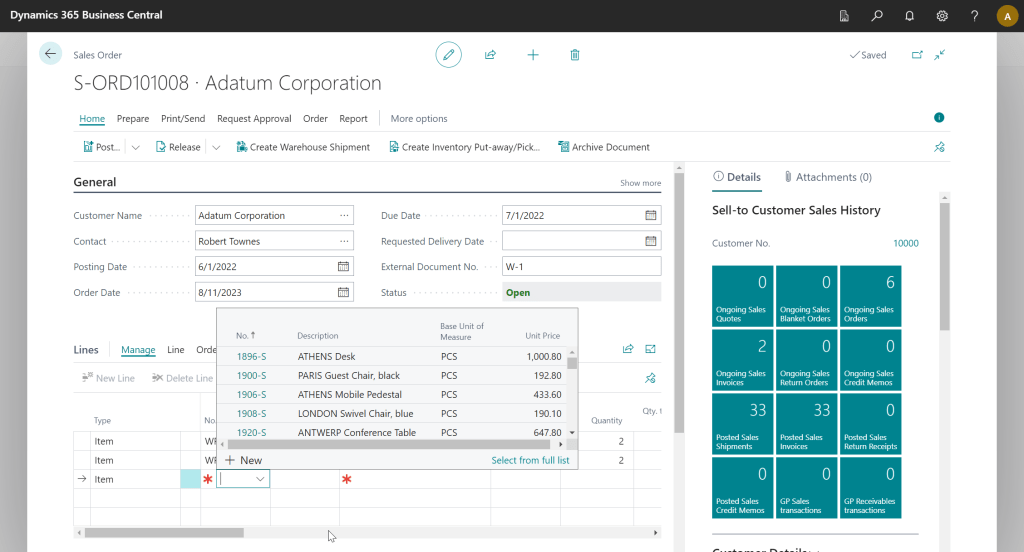
Then you could click the ellipsis for View/Edit before you could get to the Item Card.
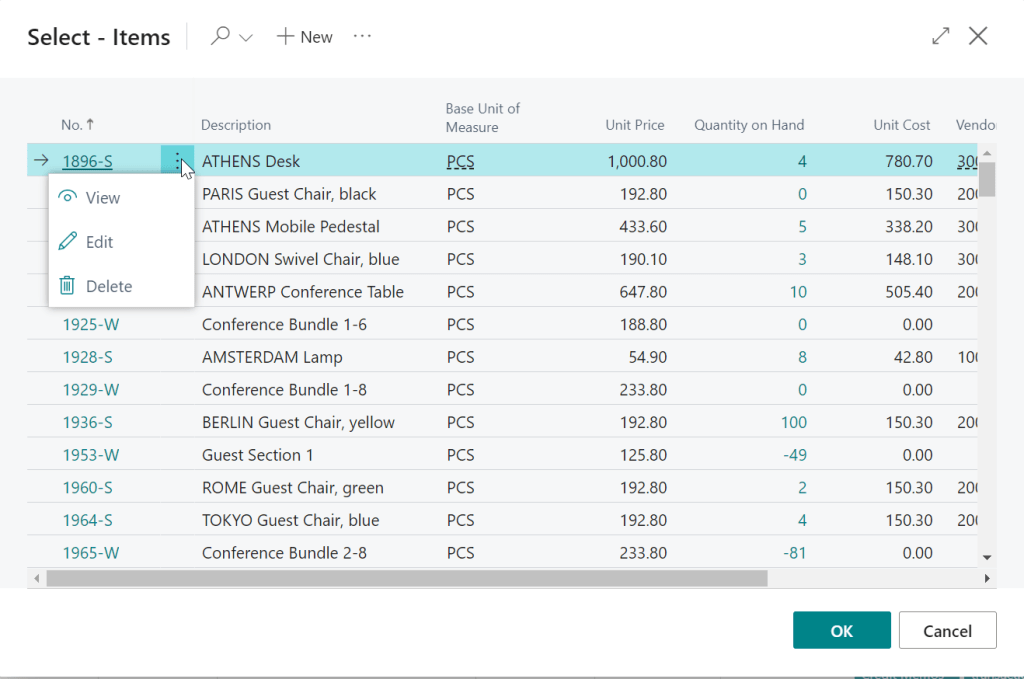
In BC 23 we will be able to click “Show Details” and directly open the Item Card from the Item Lookup!

So how do we make sure “Show Details” is available to our users?
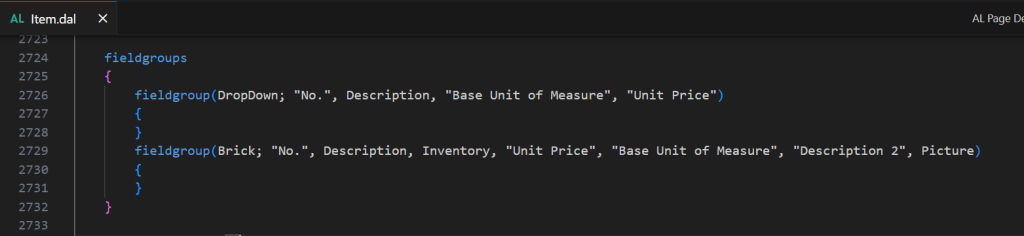
This first starts at the Table level of what is being looked up. In this case, it would be the Item table. A fieldgroup of type DropDown should be defined, as this tells the system which fields to show in the lookup. The Brick fieldgroup is used for things like adaptive cards inside of Microsoft Teams.
The next thing we need to make sure we have defined is a LookupPageID on the table.
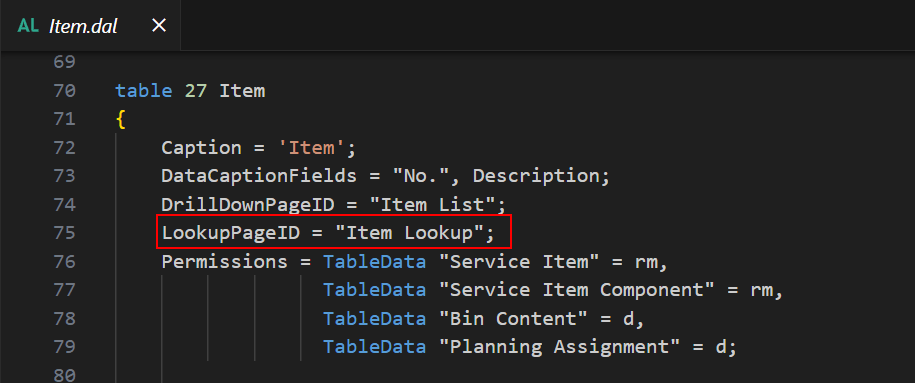
The LookupPageID is the page that will open when you click “Select from full list”.

As a developer, you need to know that the “Show Details” action is available on the dropdown when the related lookup has a list page with a defined CardPageID.
If a CardPageID is not defined on the lookup page, and the user clicks “Show Details”, the system will open the full lookup (list) page.
If you want to take your efficiency to the next level, when you are typing in the Item No., you can use the keyboard shortcut of ctrl + alt + down to “Show Details” and open the Item Card.
This feature should be coming out in the next major release (Business Central 2023 wave 2, October), and will be enabled for all users.
See the official documentation on Microsoft Learn
#msdyn365bc #businesscentral
 BC Development Notebook