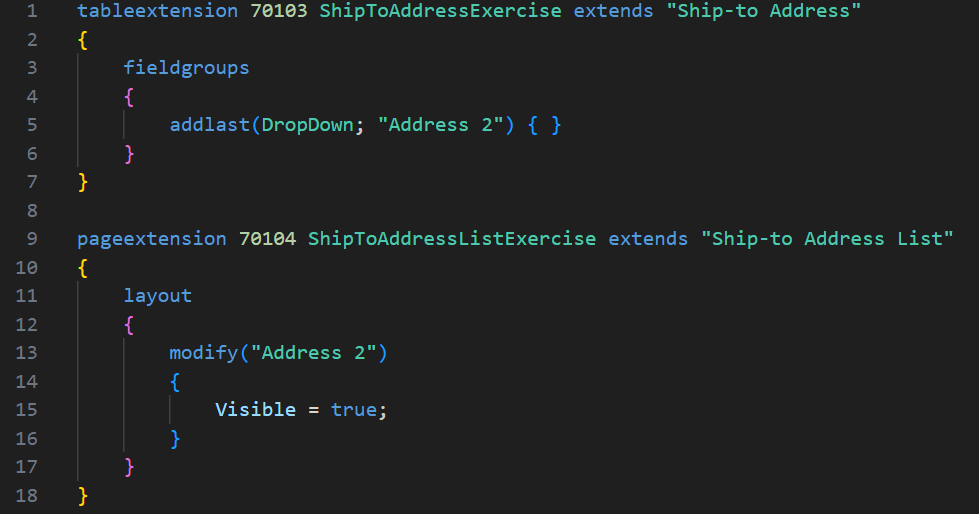
Last week we had a fairly straight-forward request to add the “Address 2” field to the Ship-To Address drop down. Microsoft Learn documentation describes Field Groups as table or table extension objects used to define the fields to display in a drop-down control on pages that use the table.
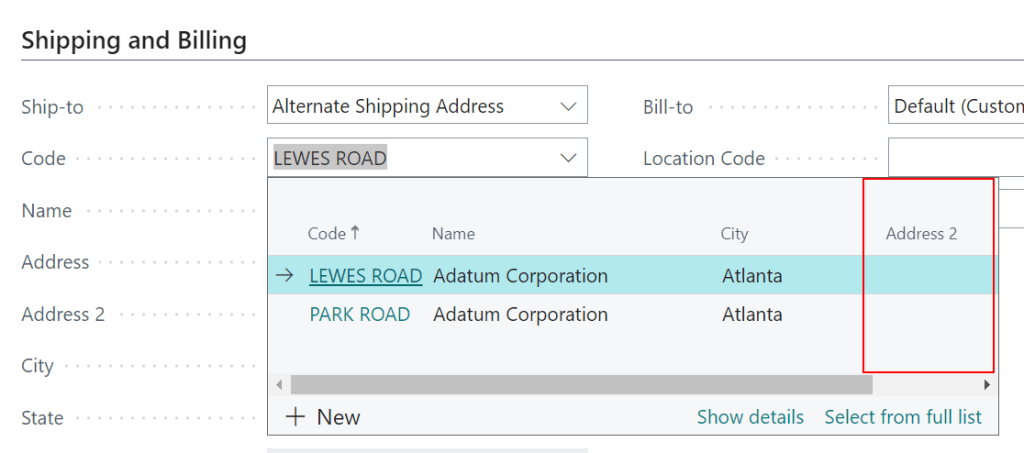
After making this code change Address 2 still wasn’t showing up in the drop down. So what were we missing?
Come to find out, a field cannot have Visibility = false on the underlying lookup page (in this case, the Ship-to Address List).
After adding a page extension, and modifying “Address 2” to Visible = true, it showed up.
Another note – if a field isn’t on the underlying lookup page at all, say the “Last Date Modified”, we could add that to the field group no problem (without having to add the field to the lookup page).


 BC Development Notebook