

When using templates to create AL objects for MicrosoftDynamics 365 Business Central, there are often many properties that are listed by default. If they are part of a template, then they must be important. So one question I had from new developers is what is a UsageCategory, and why should we be setting it.
A UsageCategory is a property on pages, reports and query objects. Why we need to set a UsageCategory is so our objects will be searchable within Business Central. If a UsageCategory is not specified, or is set to None, the object will not show up in search results, and users will be unable to bookmark a link to the object from the user interface.
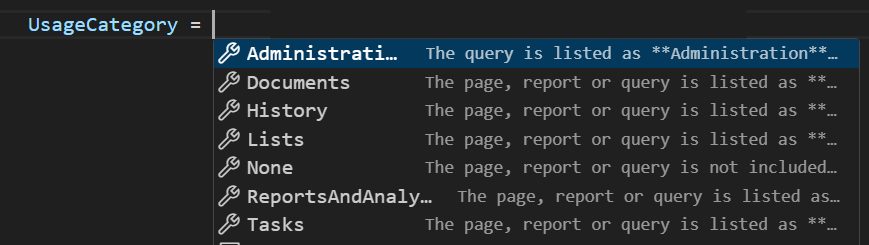
So now that we have determined we should be setting a UsageCategory, how do we know which one to use? The UsageCategory is actually the department column for a searched page, report or query. As of BC24, we have options like Lists, Tasks, ReportsAndAnalysis, Documents, History, and Administration.
What this does is “group” similar objects by these categories. So when searching, if you are looking for a Sales Report, and you use the UsageCategory of ReportsAndAnalysis, it your report can be more easily found under the right grouping.
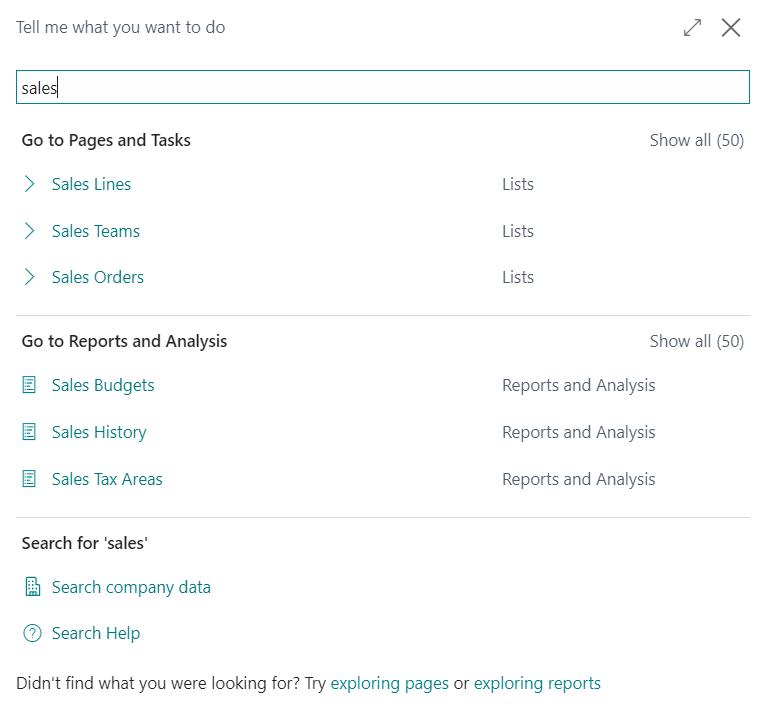
As a developer, it’s crucial to remember that not every page, report, and query needs to be accessible via search. Some objects might be designed to externally expose data as an API or to process data behind the scenes. Others, like setup pages, should only be accessed as ancillary pages (e.g., Ship-to Addresses should only be created from a related Customer record). In these cases, setting the UsageCategory to None ensures that these objects do not appear in the Search, thereby reducing clutter.
Additionally, it’s important to note that the UsageCategory property cannot be set through an extension object. If an object lacks a UsageCategory, you can add an action to a page to open the object. Otherwise, creating a copy of the object may be necessary to make it available via search.
Official Microsoft Learn Documentation about UsageCategory property here
#BusinessCentral #msdyn365bc
 BC Development Notebook