#HumpDayHacks a cat sitting at a desk in front of a camel standing on a football field

#HumpDayHacks – Avoiding Validation Chaos

Have you used the AZ AL Dev Tools New AL File Wizard to create objects? It’s probably as fast as my cats running into the kitchen when they hear the pantry door open.  Quick, efficient, and surprisingly satisfying.

But speed isn’t everything, especially when it comes to creating pages in AL for Business Central. If you’re not careful, that lightening-fast setup can lead to subtle issues that only show up later when your page doesn’t behave quite the way you expect. One of the most overlooked culprits? Field Order.

Read More »
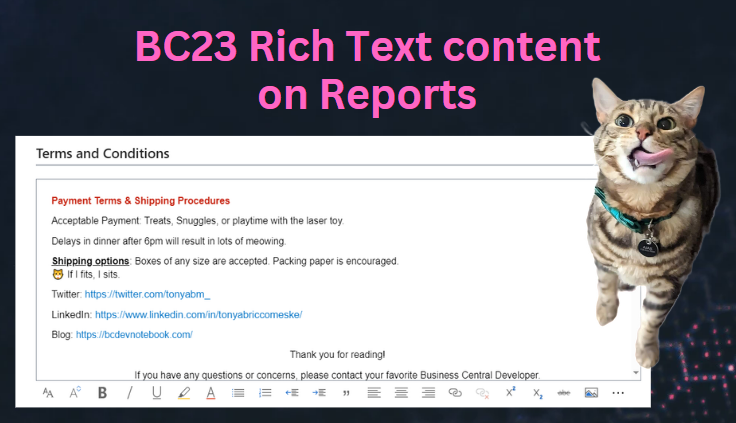
BC23 Rich Text content on Reports

BC23 Rich Text content on Reports


My most recent project has large footers being added to the bottom of their reports to display Terms and Conditions. This is something fairly common that is requested, and I’ve always shied away from hard-coding anything inside the report layout. If an address changes, then they have to get a developer involved to change the text vs being able to modify it themselves on a setup page. You could use a blob field to store all of the Terms and Conditions, but then you had no way to format a giant block of text, until now. ✨Business Central version 23 now has the power of leveraging the built-in rich text editor, and we can display that formatted text on our reports (with a few gotchas).

Read More »

Working with Fieldgroups

Last week we had a fairly straight-forward request to add the “Address 2” field to the Ship-To Address drop down. Microsoft Learn documentation describes Field Groups as table or table extension objects used to define the fields to display in a drop-down control on pages that use the table.

It should have been a simple table extension

fieldgroups

    {​​

        addlast(DropDown; "Address 2") {​​ }​​

    }​​

After making this code change Address 2 still wasn’t showing up in the drop down. So what were we missing?

Read More »