Create a large Textbox in Business Central

Create a large Textbox in Business Central

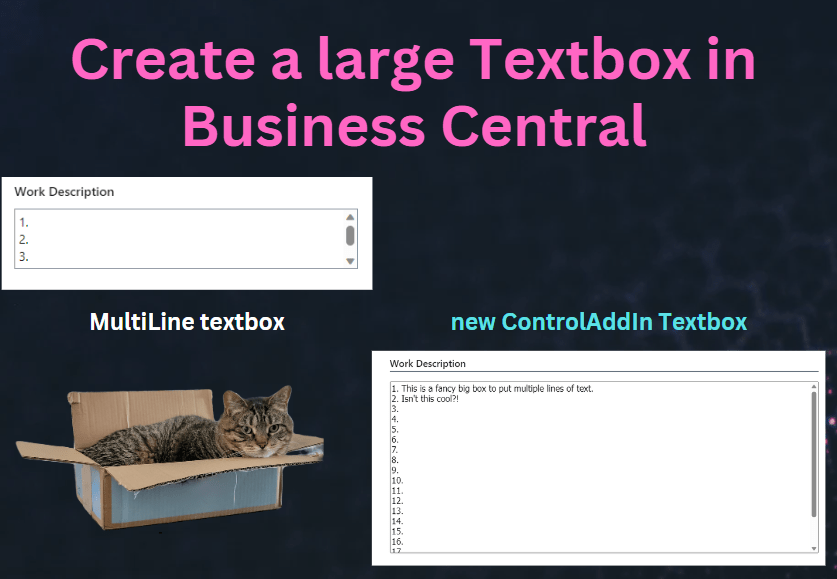
If you have worked with Business Central, I’m sure you have added a field to a page with the property MultiLine = true The problem is that you are limited to only 3 lines of text before you get a scroll bar. This can be annoying to a user, as they have to scroll to see all of their text. We can use a controladdin from Microsoft to “embed” our own textbox, meaning we can make it however big we want it.

Read More »

ValuesAllowed property in BC

I was working on a task where it was suggested to create an Option field so we had a shorter list of values available to users. When I got into the nitty gritty of development and was trying to set the value from an Enum I was getting a warning “An implicit conversion is being performed from a value of type ‘Enum xxx’ to a value of type ‘Option’. This conversion can lead to unexpected runtime issues. This warning will become an error in a future release.” I know there are ways to do conversions, but do I really need to use an option? Wouldn’t it be nice to just use the Enum?

I then stumbled across the ability to limit the (enum) values available to users. You can set this with the ValuesAllowed property on Tables or Pages. All you have to do is separate the values with a comma.

Read More »