
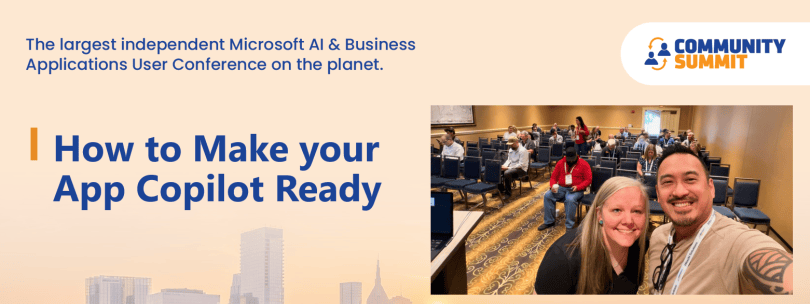
At Community Summit, Kristoffer and I presented a session called “How to Make Your App Copilot Ready”. We did not want the session to become another tour of sparkly AI features, because from the time we submitted our session abstract to the day we presented, the entire landscape of tools had changed. With everything moving so rapidly, we wanted our messaging to be relevant, and carry some weight when attendees left Nashville. As we reflected on our journeys as developers, we wanted to really explore the topic of
What questions should we be asking about our apps before we ask what AI can do with them?
This question moved us away from asking whether an extension has an AI feature and toward asking whether an agent can understand the application, trust its data, and interact with its processes safely.
Our central message was simple: Copilot readiness is not an AI project. It is an application design discipline.
Copilot ready is not a checkbox
It is tempting to think an app becomes “Copilot ready” when we leverage the Copilot Toolkit, connect a Copilot Studio agent, or introduce an AI-assisted workflow. Those can all be valuable capabilities, but they are not the same thing as readiness.
A Copilot-ready Business Central app clearly communicates:
- what its data means
- how its business processes work
- which actions are available
- what the expected outcome of each action is
- which rules and validations govern the process
- and where the boundaries for security and human approval belong.
The easiest analogy is onboarding a new employee. If every important business rule lives in the head of the person who has worked there for 15 years, the new employee will struggle. If the terminology is consistent, the processes are documented, and the system behaves predictably, that new employee can become productive much more quickly.
An AI agent has a similar problem. It does not arrive with all the tribal knowledge that users and developers have accumulated over time. It sees the surfaces we give it: pages, fields, captions, tooltips, APIs, queries, actions, documentation, permissions, and telemetry.
In short, a Copilot-ready app is not necessarily an app with AI. It is an app that AI can understand.
What would an agent misunderstand first?
One of the questions we asked the audience was:
If an agent had to use your app without asking a developer, what would it misunderstand first?
This is a useful design-review question because it immediately exposes assumptions that have become invisible to the people closest to the solution.
Maybe a standard field was repurposed years ago and everyone on the team “just knows” what it means now. Maybe a blank value actually has a special business meaning.
What data exists only to satisfy a process but does not represent the truth?
Humans may understand the unwritten rule. An agent probably will not.
Perhaps a user enters a fake phone number because the process requires one before an order can ship. Maybe a critical validation exists only in a page action, while another integration can bypass it. If a status has been repurposed, the agent may apply the original meaning.
Copilot readiness therefore includes data-quality readiness. Before asking an agent to reason over a process, we should ask whether the underlying data can be trusted.
That is why hallucination risk is not only a model problem, it can also be a context problem. When an app contains hidden business rules, overloaded fields, inconsistent terminology, vague descriptions, or undocumented workflows, AI has to infer intent. The work of becoming “Copilot ready” starts by removing those sources of ambiguity.
Metadata is part of the application contract
Business Central developers have always been aware of things like captions, tooltips, queries and APIs. In an agent-enabled world, these elements become even more important because they form part of the contract between the application and the AI experience.
Tooltips should explain business meaning
A tooltip that merely repeats a field caption does not provide much value to a user or an agent.
Compare these approaches:
Generic tooltip: Specifies the credit review status.
More useful tooltip: Specifies whether the customer requires credit review before new sales documents can be released. The status is evaluated from the customer’s overdue balance and the company’s credit policy.
The second version provides purpose, context, and a relationship to the business process. It helps a person understand the field, and it gives an agent a better semantic signal.
The same principle applies to AboutTitle, AboutText, teaching tips, captions, and Help content. They are opportunities to describe intent.
APIs and queries should expose business concepts
An API should not be considered agent-friendly simply because it exposes data. Raw table structures often reflect implementation details rather than the language of the business process.
Good API pages and queries can create a clearer semantic surface by:
- using consistent business terminology
- exposing only the fields required for the scenario
- simplifying complex relationships
- making status and lifecycle information explicit
- avoiding overloaded or misleading fields
- and presenting a business concept rather than a table dump.
Telemetry can help us ask better questions
AI gives us an opportunity to use telemetry not only for incident diagnosis, but also to identify patterns and question the process itself. For example:
- If users repeatedly encounter the same posting error, is the problem the user – or is the process producing incomplete data?
- If a report is almost always run after invoices are posted, should that step be automated or suggested?
- If job queues repeatedly fail for the same reason, could the application detect the condition earlier?
- If users follow the same multi-step path every day, is there an opportunity to simplify or automate it?
- If a work center shows a pattern of deteriorating quality, should the system recommend an inspection or maintenance review?
The goal is not simply to have AI summarize telemetry. The more interesting opportunity is to translate technical signals into recommendations for improving the business process.
- Action signals: What did the user, integration, or agent attempt to do?
- Data-quality signals: Is the underlying information complete, consistent, and trustworthy?
- Error and exception signals: What failed, and are failures repeating in a recognizable pattern?
- Performance signals: Which operations are expensive, slow, or creating bottlenecks?
- Semantic signals: What do the fields, relationships, statuses, and business rules actually mean?
Telemetry helps move Copilot from being only a conversational interface toward becoming a tool that can reason about how the application is being used.
Trust requires explanation, evidence, and boundaries
The technical question is not only whether an agent can perform an action. We also need to decide whether it should.
We used a purchase-order recommendation as an example. If an agent recommends creating a purchase order, a user should be able to understand:
- why the order is being recommended;
- which demand, inventory, forecast, or planning signals influenced it;
- what assumptions were made;
- whether the recommendation complies with company policy; and
- what will happen if the user approves it.
That leads to a critical distinction: when should an agent suggest, and when should it act?
Low-risk, reversible activities may be good candidates for automation. High-impact activities may require human review, explicit approval, or additional validation. The correct boundary depends on the business scenario, but it should be intentional.
Readiness therefore includes least-privilege permissions, deterministic actions, validation before execution, clear error handling, an audit trail, and a safe recovery or rollback path. Trust comes from more than a good answer; it comes from being able to understand and govern how that answer becomes an action.
Copilot readiness can extend the value of existing apps
This conversation is not limited to brand-new applications. Customers already depend on per-tenant extensions, ISV solutions, reports, integrations, and workflows that may have been designed years before agent experiences were on the roadmap. Improving metadata, APIs, documentation, telemetry, and data quality can extend the useful life of those investments.
It can also improve the application even if no AI project starts tomorrow. Better APIs help integrations. Documented processes reduce onboarding time. Telemetry improves troubleshooting.
A practical readiness challenge
Rather than trying to make an entire solution agent-ready at once, start with one high-value workflow.
Ask the following questions:
- Understandable: Could someone unfamiliar with the customization determine what the workflow does and what its data means?
- Documented: Are the business rules captured in metadata, Help content, or accessible documentation instead of living only in someone’s head?
- Exposed: Are the right business concepts available through clean pages, API pages, queries, or other controlled tools?
- Predictable: Do actions have deterministic outcomes with appropriate validations?
- Trustworthy: Is the data complete and truthful, or does the process rely on workarounds and placeholder values?
- Observable: Do you have telemetry that shows actions, failures, bottlenecks, and recurring patterns?
- Governed: Are permissions, approval points, evidence requirements, and human-in-the-loop boundaries clear?
Make the workflow understandable. Expose it safely. Measure what happens. Only then decide what to automate.
As you assess the metadata already available to agents, review the Microsoft Learn article on Influencing Copilot and agents without extending Business Central.
The takeaway
If there is one idea to carry forward from our Summit session, it is this:
Start by making your application understandable.
You do not need AI everywhere. You need clear business meaning, trustworthy data, useful metadata, safe interaction surfaces, predictable actions, and intentional boundaries. Once humans and agents can understand the application, AI becomes an accelerator instead of a guessing engine.

