

Have you hit the midweek slump, and realized you have been putting off debugging that one weird issue all week? If you are on Business Central version 28 (or later), you can now let Copilot do some of the heavy lifting for you.
The Troubleshooting MCP (Model Context Protocol) Server is an AI-powered debugging tool that is built into your Business Central development experience. When you are in a debugging session, you can now have GitHub Copilot help
- Analyze your call stack
- Inspect variable values
- Review relevant source code
- Help explain why something broke (and maybe even suggest a solution!)
The Troubleshooting MCP only works during an active debugging session. It can only see the current call stack (sorry, no time travel allowed). The great part is the Troubleshooting MCP shipped as part of the AL Language Extension for VS Code. Start a debugging session in an environment that is on version 28 or higher. Using the command pallet, let’s look at the MCP Servers.

Make sure that the “Business Central Troubleshooting MCP Server” is started.
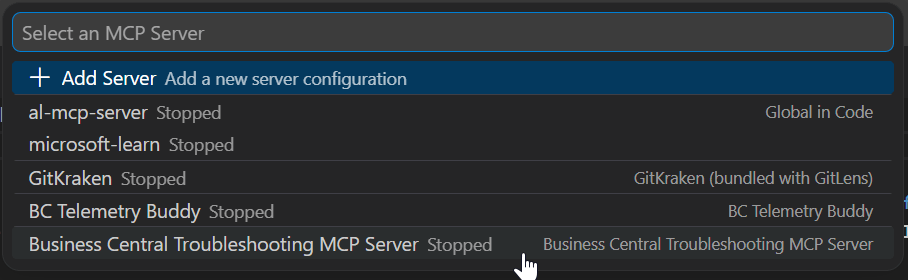
Once I started the Troubleshooting MCP server, I had the following in my output.
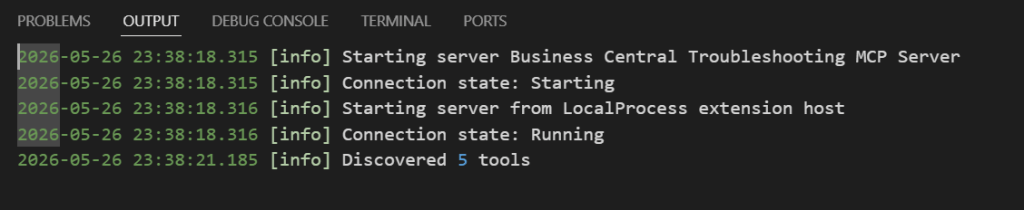
Now set a break point where you Copilot’s assistance, and start the walking through the process in Business Central.
In the example below, we added an Information field to the Item, which should flow through to to the Sales Line when the type is an Item. The breakpoint is set on an event subscriber for the Sales Line table, OnAfterAssignItemValues event.
I asked Copilot the following prompt:
Using the Business Central Troubleshooting MCP, what is the value of the Item.Information field
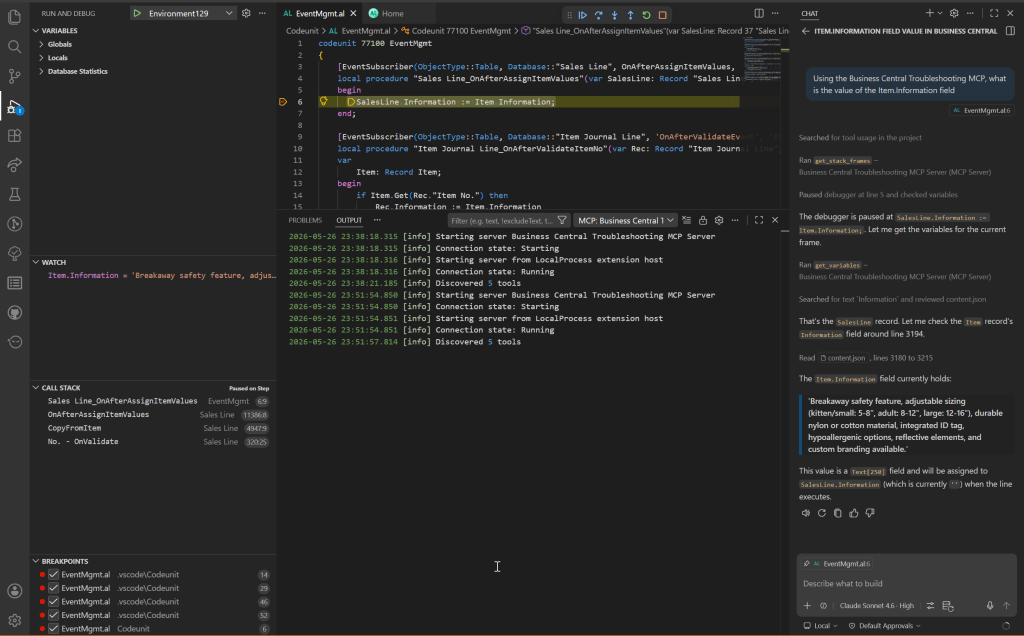
What I found quite impressive is Copilot not only was able to determine the value of the Item’s Information field, but it also shared information about the fields datatype, and that it will be transferred to the Sales Line Information field.
If you are looking for faster debugging cycles, better root cause analysis, and looking for ways to leverage AI to be more efficient, look no further than leveraging the Business Central Troubleshooting MCP server.
You can learn more in the Microsoft Learn Documentation

